A translated document can be linguistically perfect and still look broken. Text that overflows a text box. A logo that’s suddenly off-center because the new language runs longer. A brochure where the Arabic version reads left to right because nobody flipped the layout. None of these are translation errors they’re desktop publishing (DTP) problems, and they’re the reason a lot of “finished” translations still need a second round of fixes before they can be printed, published, or sent to a client.
This piece looks at where DTP actually sits inside a translation project, why certain file formats can’t skip it, and since this is usually the harder decision how to pick a DTP provider that won’t hand your layout back looking worse than when you sent it. For teams already evaluating DTP services, this is the deeper “why” behind every layout decision.
Where DTP Fits in a Translation Project
Translation and DTP are two separate jobs that have to happen in sequence, not two names for the same thing.
-
Translation — A linguist converts the source text into the target language, usually inside a CAT tool that keeps the text separate from the design file.
-
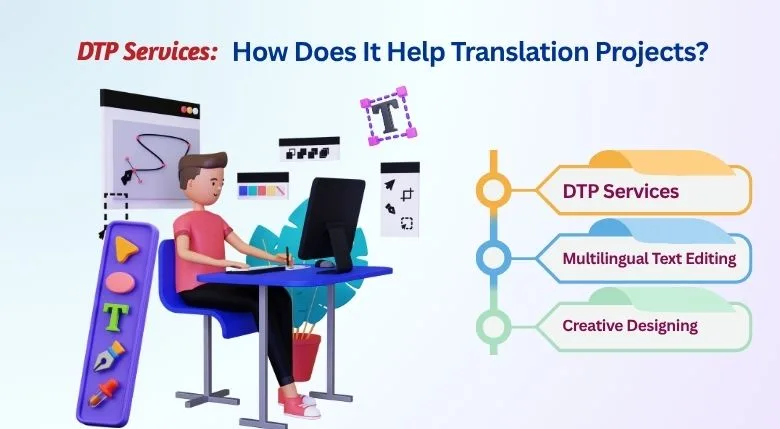
DTP / reformatting — Once translated text is placed back into the original layout, a DTP specialist adjusts spacing, fonts, image placement, and page breaks so the document looks the way it did before just in a different language.
-
Linguistic QA — A native-speaking reviewer checks the final laid-out file, not just the text, for anything that shifted, got cut off, or reads oddly because of the reformatting.
Skip step two, and you get a document that reads correctly but looks wrong text bleeding off the page, captions overlapping images, or a table that no longer lines up. Skip step three, and layout fixes can accidentally cut off a sentence or duplicate a line without anyone noticing until it’s printed.
Quick answer: DTP is the design-and-layout step that happens after translation and before delivery it makes sure a translated document keeps its original look, not just its original meaning.
Which File Formats Actually Need DTP Work
Not every translated file needs this step. A plain Word document with no design elements can often go straight from translation to delivery. Files built for visual layout can’t.
If your source file is on this list, budget time and cost for DTP as a separate line item not an afterthought squeezed into the translation timeline. Teams working on German translation projects will see this often German text can run 10–35% longer than English, breaking layouts that weren’t prepared for expansion.
Why This Step Gets Skipped (And Shouldn’t)
DTP usually sits at the very end of a project, right before delivery. That’s also exactly when deadlines are tightest, which is the real reason it’s the step most likely to get rushed or dropped. A few things make it non-negotiable anyway:
-
Text length changes by language. German and Finnish translations typically run 10–35% longer than English. Chinese and Japanese often run shorter in character count but need more vertical spacing per character. A layout designed for English text simply doesn’t have room for German text without adjustment captions get cut, buttons overflow, callout boxes overlap the image behind them.
-
Some languages change the entire page direction. Arabic, Hebrew, and Urdu are read right to left. That’s not a font swap it flips margins, image placement, bullet alignment, and reading order across the whole page.
-
Brand elements don’t translate themselves. A logo, a color palette, a tagline’s positioning these need to survive the switch to a new language exactly as they were designed, or the document stops feeling like it belongs to the brand.
-
Fonts don’t always support every script. A typeface chosen for its English look may have no Cyrillic, Devanagari, or Thai character set at all, which means a substitute font has to be picked and matched for weight and spacing.
How to Choose a DTP Provider
This is where most of the project risk actually lives, because a bad DTP job doesn’t show up until the final file is opened and by then it’s often too late to redo it on schedule. Here’s what’s worth checking before you commit:
-
Ask to see software-specific work, not just design experience.
Multilingual DTP in InDesign is a different skill from general graphic design. Ask specifically whether the provider has handled RTL languages, CJK (Chinese/Japanese/Korean) typesetting, or long technical manuals in FrameMaker whichever applies to your file type.
-
Ask how they handle overset text. Every experienced DTP team has a standard process for text that no longer fits resizing the frame, adjusting tracking, or flagging it back to the translator to shorten the line. If a provider doesn’t have a clear answer here, that’s a warning sign.
-
Check their QA process, specifically. A one-line “we do quality checks” isn’t enough. Ask how many review rounds there are, whether a native speaker checks the final laid-out file (not just the translated text), and who signs off before delivery.
-
Confirm turnaround realistically. DTP for a 40-page manual across 12 languages is not a same-week job if it’s being done properly. A provider that promises unusually fast turnaround on a complex, multi-language file is either cutting QA or overselling capacity.
-
Look for scalability, not just a one-off project fit. If this translation project is the first of many product launches, recurring catalogs, quarterly reports ask how the provider handles version control and style consistency across future rounds, not just this one file.
What This Actually Gets You
For a business, getting DTP right protects brand identity across every market you operate in, avoids the cost of reprints or re-publishing, and lets marketing, legal, and product teams trust that a translated document is ready to use the moment it’s delivered not something that needs another internal design pass first.
For an individual publishing content in multiple languages an author, a course creator, a small business owner it means the document looks finished the first time, without needing separate design help after translation is done.
At Somya Translators, translation and DTP run as one connected process, not two vendors you have to coordinate between. Our team works directly in InDesign, Illustrator, FrameMaker, and the other formats above, across 170+ languages, with a dedicated review pass on the final laid-out file before anything goes out. For teams exploring MTPE + DTP workflows, this integrated approach eliminates handoff delays and keeps formatting consistent across rounds.
Need a translation project that comes back print-ready, not half-finished? Get a free DTP quote Call: +91-9990094796
FAQs
Is DTP part of translation, or a separate service?
It’s a separate, sequential step. Translation converts the language; DTP rebuilds the layout around the new text so the document looks the way it originally did.
Do all translated documents need DTP?
No. Plain text documents without layout elements a simple Word letter, for instance usually don’t. Anything built in a design tool (InDesign, Illustrator, PowerPoint with heavy formatting, etc.) generally does.
How much longer does a translated document typically become?
It depends on the language pair. German, Finnish, and other Germanic/Slavic languages often expand 10–35% versus English. This is why DTP has to happen after translation, not before.
What’s the biggest mistake companies make with DTP?
Treating it as a five-minute formatting fix at the end of the project instead of budgeting proper time and a dedicated specialist for it especially for RTL languages or CJK typesetting.