

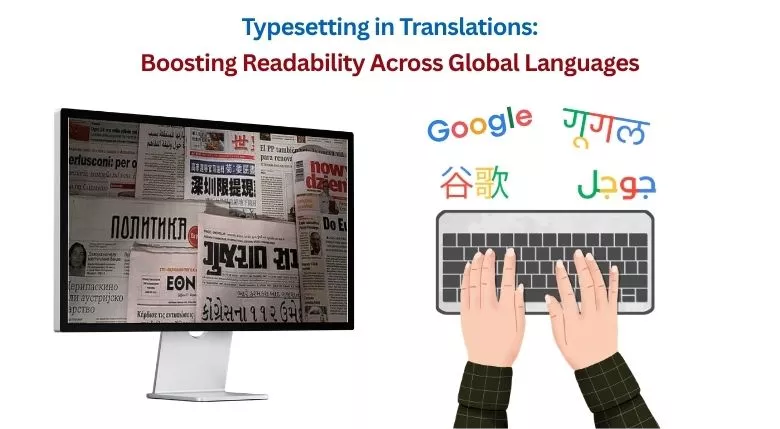
It’s funny that one usually doesn’t notice a nicely formatted document but immediately notices formatting errors. Overlapping texts, uneven spacing, and inappropriate paragraph breaks—these aren’t just painful to watch but also disrupt the reading experience.
Even in a translated document, where the language may be precise, these uneven formatting may stick out like a sore thumb—creating a disconnect between the document and the reader. To bridge this, typesetting in translations is a vital procedure.
This blog will break down what typesetting means in translation services, why it matters so much today, and how it directly impacts multilingual communication, branding, and publishing success.
What Is Typesetting in Translation Services?
Typesetting in translations is a process of arranging translated text within a particular place of a document while preserving its layout, design, and readability.
Typesetting in translation is widely different from document formatting. It ensures that the translated content, regardless of the language, fits effortlessly into the original structure.
Typesetting includes:
- Adjusting the fonts for different languages.
- Reworking on spacing, alignment, and margins.
- Managing text expansion and contraction,
- Ensuring visual consistency in documents.
- Preparing files for print and digital publishing.
Why Is Typesetting Important After Translation?
Translation converts the text from one language to another; typesetting ensures that the text is readable and aesthetically pleasing.
Here’s why typesetting in translations is vital:
- It prevents layout disruption: Every language behaves differently. An English text, when translated into German, might expand, while Chinese might contract and change the text direction (top-to-bottom). Proper typesetting formatting ensures that the layout remains consistent and readable.
- It protects brand image: Translation services that offer typesetting avoid messy layouts and reflect credibility. This ensures that brand communication comes out as professional and reliable.
- It improves readability: Typesetting implements good spacing, alignment, and typography, which reduces strain and improves comprehension.
- It ensures cultural adaptability: After translations, typesetting helps the document to adapt proper formatting styles, punctuation, and reading directions.
- It supports global publishing: From brochures to eBooks, typesetting ensures consistency across languages, which further makes global publishing easier.
What Are Professional Typesetting Translation Services?
Typesetting is not a standalone service. In fact, it is a vital part of DTP service that combines design expertise with language proficiency.
This is what professional DTP service providers offer:
- Multilingual document formatting
- Layout adaptation for different languages
- Font compatibility checks
- Image and graphic alignment
- File preparation
A comprehensive approach that an LSP provides ensures multilingual accuracy, clarity, and presentation—all in one flow.
Key Elements of Effective Typesetting
The following are the core components of typesetting for multilingual document quality:
- Font Selection: Different languages need various fonts. A font like “Aptos” that works for English won’t work for Hindi or Arabic.
- Line Spacing: A pivotal yet often ignored component that ensures readability and clarity, especially in technical documents that rely on diagrams.
- Alignment and Structure: Proper structure and alignment ensure consistency in headings, paragraphs, and section breaks, making it easier to navigate through the content.
- Margins and White Space: Typesetting also ensures a balanced layout that doesn’t feel too dense or overwhelming.
Are you interested in exploring how DTP services ensure accuracy in multilingual content? Check out our related blog: DTP Services: How to Create Accurate Multilingual Content?
Challenges in Multilingual Typesetting and Layout Design
Typesetting becomes complex as more and more languages start to get involved.
Here are the key challenges:
- Text expansion and contraction affect layout balance.
- Right-to-left languages like Arabic require mirrored designs.
- Font compatibility must be maintained. This is not easy with every language.
- Maintaining visual consistency in documents in multiple languages.
- Adjusting supplementary visuals such as charts, graphs, and tables.
Without professional help, businesses would often struggle to overcome these challenges.
How to Format Translated Documents Professionally?
Here are some expert tips on formatting multilingually translated documents:
- Use language-compatible fonts.
- Maintain consistency across different languages by using professional tools, such as memoQ, SDL Trados, and Smartcat, while ensuring accurate multilingual typesetting through advanced DTP software
- Avoid fixing spacing issues manually. Always use professional formatting tools such as Adobe InDesign, QuarkXPress, Adobe Illustrator etc.
- Test layouts in both print and digital formats.
- Always proofread the document after formatting.
How Does Typesetting Support Global Publishing and Communication?
Typesetting, along with translations, plays a pivotal role in making global communication accessible.
This is how typesetting helps:
- Adapts layouts in such a way that it accommodates different languages effortlessly.
- Maintains consistency in brand communication worldwide.
- Improves the reader’s experience across formats.
- Ensures readiness in print and digital publishing.
Typesetting is especially important for:
- Marketing brochures
- Technical manuals
- E-learning content
- Multilingual websites
Basically, typesetting is that missing link that comes after translation to make content truly globally accessible.
Get Expert Page Layout and Typesetting Services for Multilingual Documents!
Readers Might Wonder
Q1) How does typesetting impact user experience in multilingual content?
Ans. Typesetting has a direct effect on how users interact with content. Having clean layouts, proper spacing, and structured formatting makes information easier to read and understand, especially in multiple languages.
Q2) What if I don’t use typesetting in translation projects?
Ans. Ignoring typesetting can result in broken layouts, poor readability, and a lack of professionalism for businesses. This ultimately reduces the impact and appeal of the translated content.
Q3) Is typesetting necessary for digital content as well?
Ans. Yes. Even for digital content, such as eBooks, infographics, and websites, professional typesetting is required to boost readability.
Q4) How do professionals manage language-specific layout changes?
Ans. Experts use advanced tools and design techniques to adjust spacing, fonts, and alignment while preserving the original design intent.
Partner with Professional Typesetting Experts Today
Typesetting in translations has become a vital step in multilingual communication. It ensures that multilingual content is not just linguistically accurate but also visually precise and ready for global interaction.
This is where expert support like the one provided by Somya Translators is needed.
We combine our language expertise with professional DTP service abilities to deliver high-quality multilingual content. Our typesetting expertise lies in:
- Multilingual marketing materials
- Technical manuals
- Product guides
- Multilingual websites
- eBooks
And much more visually heavy content.
Furthermore, we also offer additional language solutions to support our clients’ needs:
- Document translation services for legal, medical, technical, financial, etc. domains.
- Human translation services for high-stakes documents where utmost accuracy and clarity are a must.
- Editing and proofreading services to ensure top-tier accuracy after the translation process.
If you are looking to elevate your translated content, reach out to us today, and we can turn your documents into polished, publication-ready documents fit for global communication.
Let’s collaborate!
Call: +91-9990094796
Email: info@somyatrans.com