

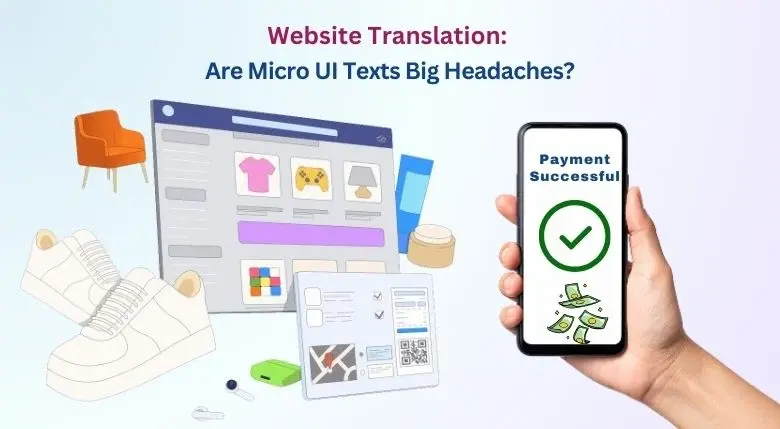
 How does an average internet user judge a brand’s credibility?
Customers always go to the brand’s website to check for reviews, pricing, and products—right? Well, almost right! There are other “hidden” ways to check a brand’s credibility.
Have you ever felt nervous while completing an online transaction while the loading screen says, “Your transaction is processing?”
Or maybe you’ve felt the anger while booking your favorite concert when the screen says, “Oops, something went wrong.”
These little guiding instructions may seem frustrating, but they are vital for the effective functioning of an app or website. Furthermore, many users judge a brand’s website based on these subtle interface behaviors.
This includes:
- Error Messages
- Confirmation Ticks
- Smart Form Assistance
- Tooltips
- Progress Indicators
- Hover Visual Cues
These indicators might be barely noticeable, but their impact is enormous.
Basically, these micro-interactions are small system responses that users see when they click, type, scroll, or hover their cursor on a website. As these micro-level details shape how the user perceives a brand website, it becomes vital to invest in website translation to determine the best results.
Imagine a login interface enabled with a “saved” tooltip or a button changing its color after form submission. These signals guide the user without using words.
But what happens when these micro-interactions, designed to help global users, are left untranslated? People who speak different languages are left confused, leading to a gaping dent in the brand’s reputation.
It is famously said that small details drive big decisions.
Translating these micro-interactions is no longer a luxury but a necessity. This blog aims to discuss the importance of translating micro-interactions and determining how it affects the process of website UI translation.
Why Do Micro-Interactions Matter in Website Translation?
During website language localization, most companies focus on large, visible content such as headers, menus, and product descriptions. Which is fair, as they play a key role in a website. However, micro-interactions and hidden UI elements also carry as much weight as large texts when it comes to shaping brand trust and website usability. Furthermore, these elements also have a psychological effect on the user. Progress loading messages can have a positive effect on the user, while error messages may have a negative effect.
Some common micro-interactions and hidden UI elements are
- Tooltip Hints
- Placeholder Text
- Button States
- System Alerts
- On-Hover Messages
- Modal Confirmation
- Error Codes
- Auto-Suggestions
These micro-interactions help a user navigate and complete actions on a website. However, untranslated micro-interactions can directly affect a brand’s image in multilingual markets. For example, e-commerce platforms often report lower checkout completion rates when they choose to ignore localization and website translation of small UI elements and micro-interactions.
Are You Looking to Completely Translate Your Website?
Get a Free Quote for Website Translation Today!
Why Do Hidden UI Texts Often Get Missed?
Implementing general translations is often a simple task. Just send the source file (preferably in Word) to the translator. Translating micro-interactions, however, is not that simple.
The UI elements usually are:
- Hard-coded deep within templates.
- Triggered only during a specific user action.
- Stored inside scripts, attributes, or dynamic components.
- Mostly controlled by developers instead of content teams.
- Located across modals, pop-ups, and error states.
This not only makes it difficult to translate but also makes it invisible during the website translation process.
Key Technical Challenges in Translating Micro-Interactions
Translating micro-interactions needs two skills:
- Language proficiency
- Technical Website Expertise
However, the subtle art of translating UI elements and micro-interactions also brings forth several other challenges.
Identifying Every UI String
The technical team needs to extract all micro-texts, such as HTML attributes and JavaScript frameworks. Missing a single text can result in incorrect translation and inconsistent UX.
Exporting and Reintegrating Translations
Each string needs to be extracted into localization-friendly files and then reinserted without breaking functionality.
Handling SPAs and Dynamic Interfaces
Modern websites that are built on React, Vue, Angular, and other SPA frameworks change UI states without reloading pages. In this situation, micro-texts appear dynamically, which further makes detection difficult.
Maintaining Translation Consistency
Micro-texts are generally short. So, translators need to rely on context for consistent translations and avoid mismatches. For example, “back” could mean either return to the previous or undo.
Best Practices for Translating Micro-Interactions
Online businesses always look to strengthen user trust and reduce complaints. Here are some expert tips to ensure an effective website translation that includes translating micro-interactions and hidden UI elements.
- Centralize all UI strings in resource files.
- Provide translators with appropriate context. This includes screenshots of the micro-interactions and state references.
- Define consistent translation terminology by creating specialized glossaries and using translation memory tools.
- Linguistic and functionality testing is key, especially in e-commerce translation services. Testing the translated UI texts in a real-time environment can help rectify errors and untranslated texts.
- Keep in mind and allow space for text expansion. Especially useful for German, Arabic, and Urdu.
When executed correctly, these practices elevate both the UX of a website and brand image.
Want to learn more about such interesting topics on website localization? Explore how multilingual SEO can help your website. Click on the link here: Website Localization: Ensuring Global Reach With Multilingual SEO.
How Does Somya Translators Approach UI and Micro-Text Localization?
While many website translation companies focus only on visible content, we choose a more in-depth approach. By integrating language expertise and technical localization workflows, we create a grounded experience across website translation, technical translation services, and app localization.
Our robust workflow includes:
- Deep string audits to identify hidden UI texts.
- Context-based translation with visual references.
- Handling JSON, JavaScript, XML, and framework-driven UI strings.
- Preserving character limits for buttons and tooltips.
- Ensuring intact cultural tone and UX intent across different languages.
- Value-driven linguistic testing before deployment.
Micro-interactions are the quiet heartbeat of a digital presence; one doesn’t feel them, but they are vital for the efficient functioning of a website.
If your brand is expanding globally, don’t leave these quiet heartbeats behind and untranslated. Enhance your website’s UX by translating micro-interactions and hidden UI elements accurately.
Don’t hesitate to reach out to us!
Call: +91-11-43061918
Email: info@somyatrans.com